Class Sync & Study Plans· Personalize
Import your classes. Cereby plans the rest.
Upload your syllabus or connect Canvas. Cereby reads your classes, assignments and exams, then puts them on a calendar with prep sessions spread out before every exam.


Your semester, read off the syllabus
Every class hands you a syllabus in the first week and most of them go unread after that. Upload yours to Cereby, as a PDF, a Word file or pasted text, and it pulls out the course details, class meeting times, assignments and due dates, exams, readings, office hours and grading. One file with several courses in it works too.
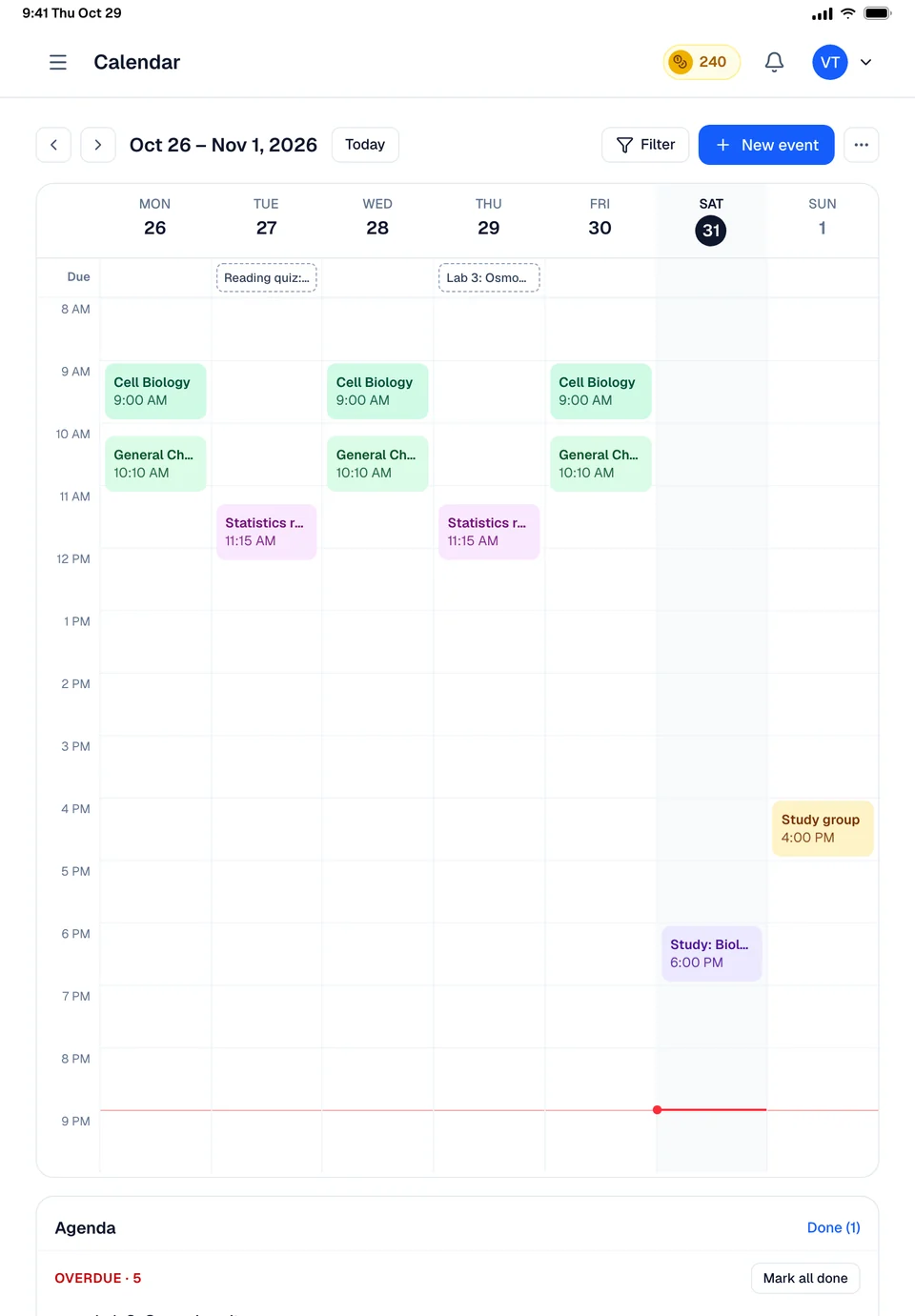
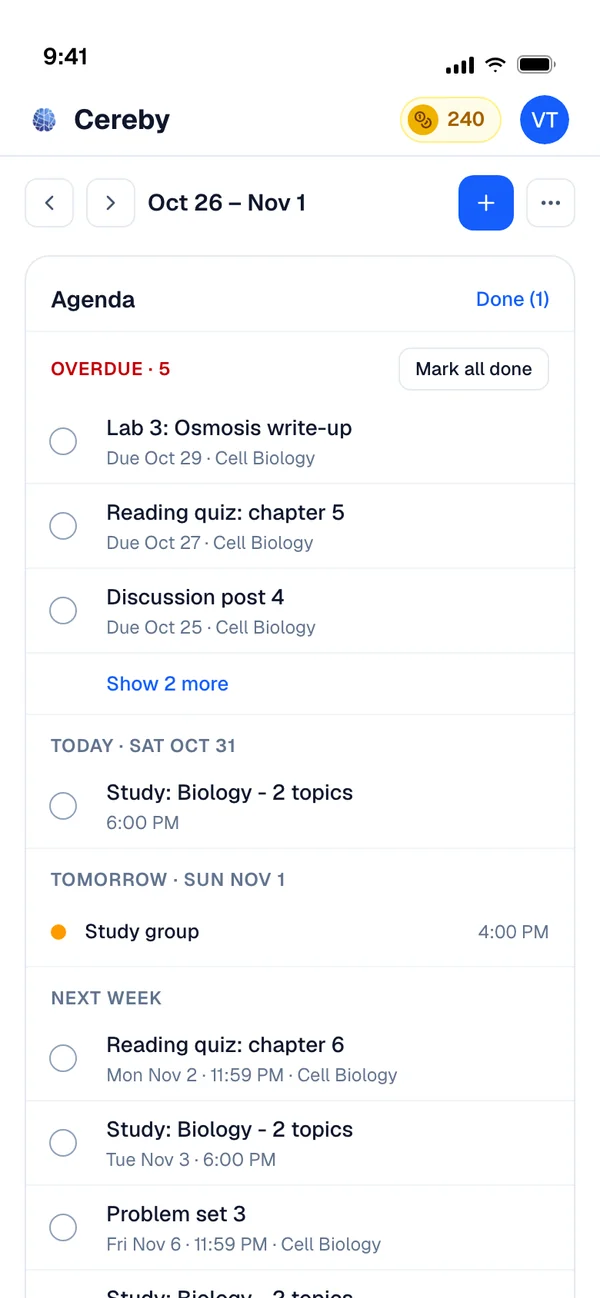
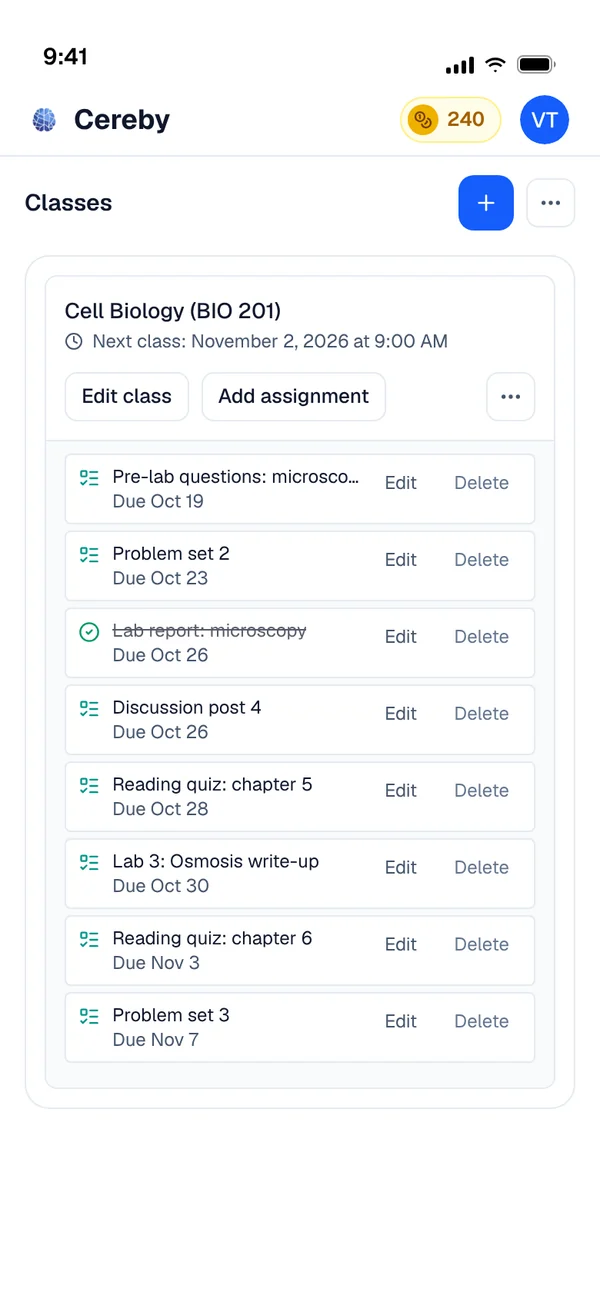
Cereby turns that into events on your Cereby calendar: your classes, every deadline, every exam, and 45 minute prep sessions spread out between now and each exam. If your school uses Canvas, connect it and your courses and assignment due dates come in as well. Google Calendar and Apple Calendar can be connected so Cereby sees the rest of your week.
Seeing the whole term at once changes how you plan it. The week with two midterms and a paper due shows up in September, not the Sunday before, and the prep sessions for each exam start early enough that you are not choosing between them.
- SyllabusPDF, Word or pasted text
- CanvasCourses and due dates imported
- Google · AppleCalendars read so the plan fits your week
- 45 minPrep sessions spread out before each exam
What comes out of one syllabus
Part of the calendar built from an intro psychology syllabus.
- Class
PSY 101, Mondays and Wednesdays, 10:10 to 11:00, recurring all semester
- Assignment
Research methods worksheet, due Friday 11:59 PM
- Exam
Midterm 1, chapters 1 to 5, Wednesday of week 6
- Prep sessions
45 minutes each, in the evening, spread across the weeks before the midterm with the gaps between them growing. The last one is two days out.
- Office hours
Tuesdays 2:00 to 4:00, read from the syllabus
Class Sync & Study Plans in three steps
Upload the syllabus
PDF, Word or pasted text. Cereby reads the schedule, assignments, exams and readings.
Connect what you use
Canvas for courses and due dates, and Google or Apple Calendar so your plan works around the rest of your life.
Follow the plan
Classes, deadlines, exams and prep sessions appear on your Cereby calendar. Ask for a daily plan when the week gets busy.
Made for weeks like these
The first week of the semester
Upload all five syllabi and see every exam for the term on one calendar before add and drop ends.
Two midterms in the same week
Let the prep sessions for both start early enough that neither one becomes a single all nighter.
Working while in school
Connect your Google or Apple Calendar so study time is planned around your shifts.
Class Sync & Study Plans: common questions
If your question isn't here, ask anything in the chat. A real person answers.
Related

Your next exam starts here.
Bring your syllabus. Cereby learns your schedule, tracks what's due and turns every topic into the video, podcast, quiz or deck you'll actually study from. Free to start, no card required.